News
This website may not work correctly in Internet Explorer. We recommend switching to a more secure modern web browser such as Microsoft Edge which is already installed on your computer.


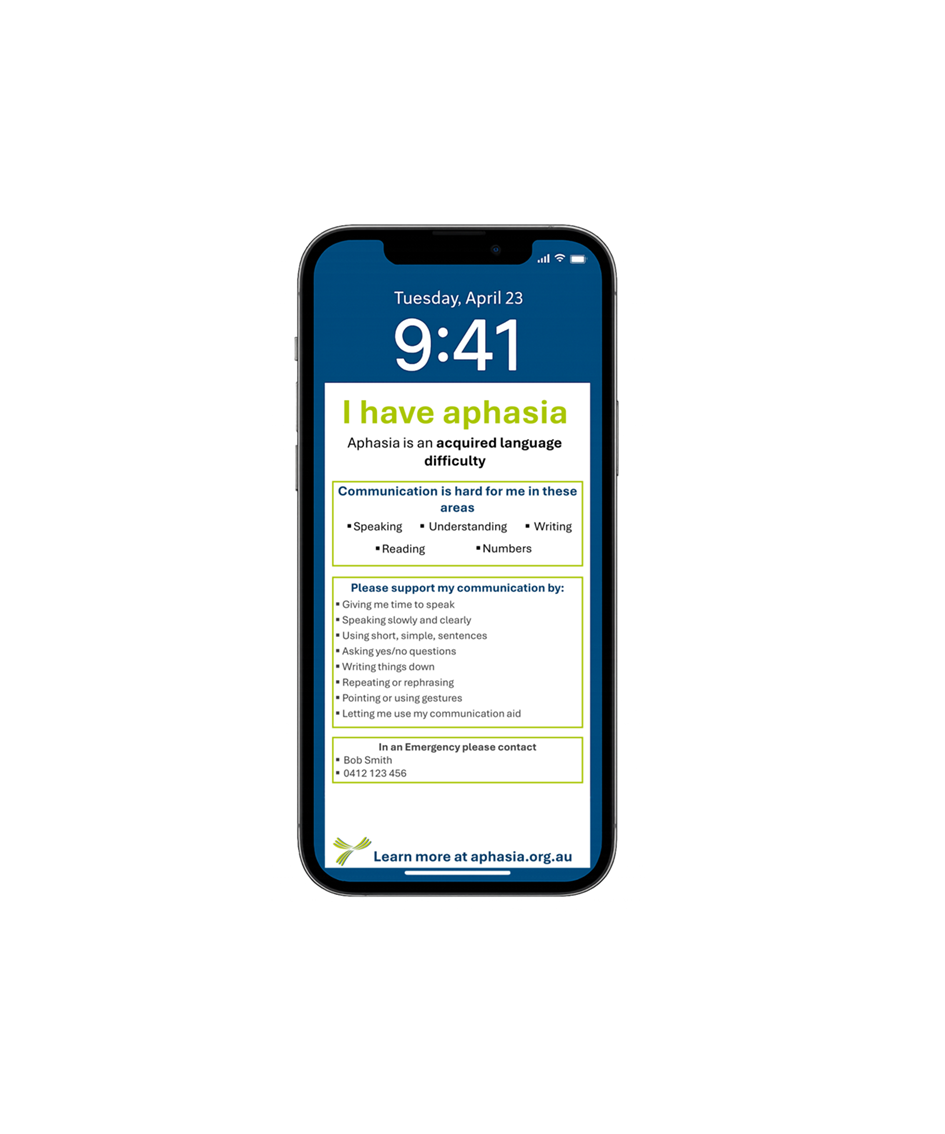
Create your FREE Aphasia phone lock screen.
This tool helps you make an image for your phone lock screen.
The image tells other people that you have aphasia and how they can support your communication.
How to use this tool:
1. Fill in the form below.
2. Press “Create my Lock Screen”.
3. Press “Download Image”.
4. Save the image to your phone.
After you save the image:
1. On your phone, go to Settings → Wallpaper
2. Add new wallpaper
3. Select the image as your Lock Screen.
When you need to communicate, simply show your phone to the other person.
Save the image to your phone, then go to Settings → Wallpaper
and set it as your Lock Screen.

